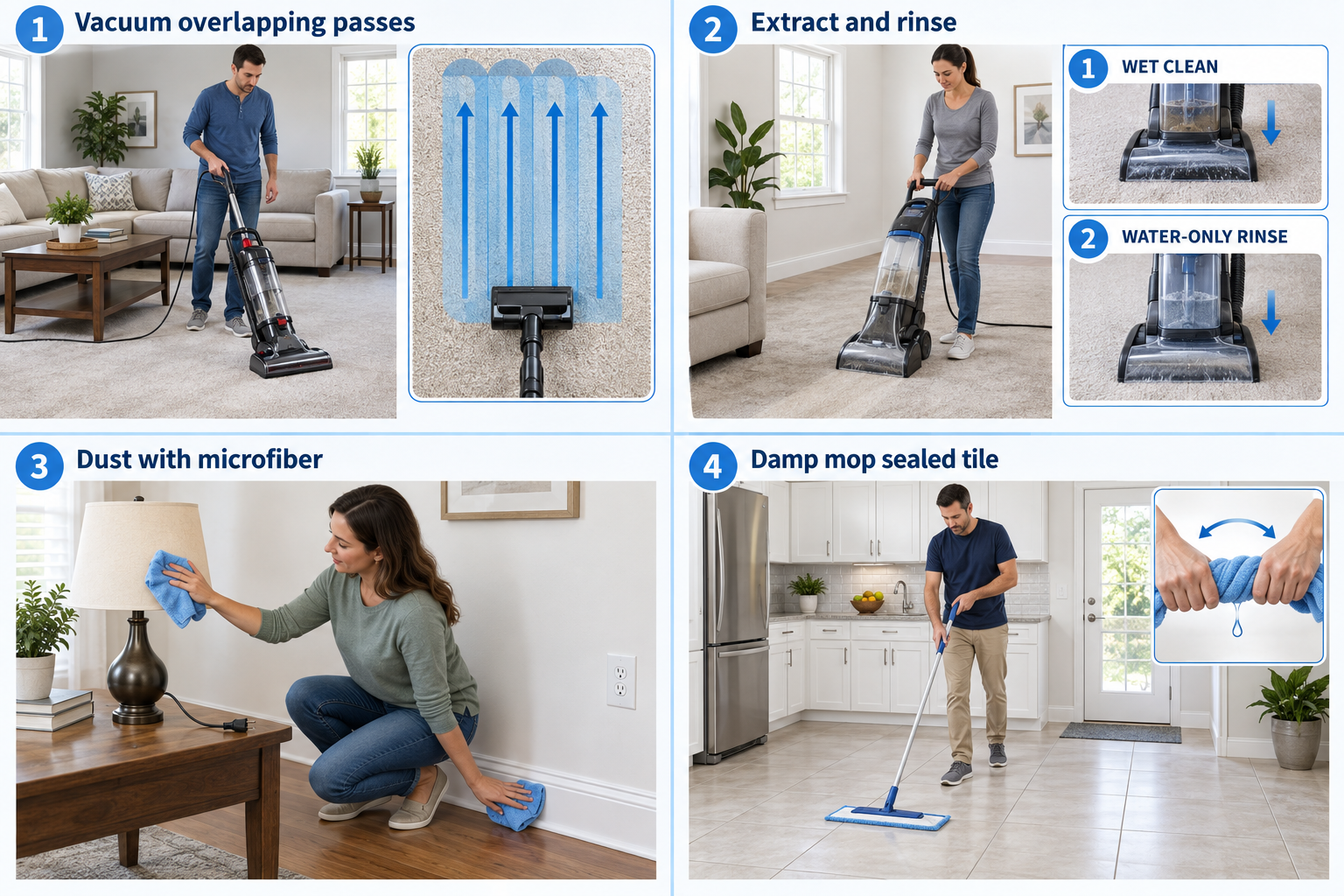
A vacuum pulls dust and loose dirt into a bag or bin. It does not wash the carpet.
Why it matters: Grit rubs against carpet fibers as you walk. Removing it helps the carpet last and reduces dust.
Written guidance reviewed: September 17, 2026 · Sources and equipment assumptions are below.
Take this guide to another device
Steps, notes, supplies, setup choices, results and check dates save on this browser as you work. Plus can also keep an account copy. Account copies update only when you choose Save; loading one replaces the browser draft shown here.
Review all saved work. Saved account check dates appear in My Day. Clear the date and save again to finish a follow-up. Email settings stay separate; existing opted-in agenda or deadline emails can include these dated actions.
Understand the job before starting
Floor requirements and vacuum settings need to match. Clear one workable route first.
A common mistake to avoid
Repeated passes do not solve a clogged or incorrectly set vacuum.
Use what you already have. Check each item when it is ready.
Before you begin
Never vacuum water, hot ash, glass, fine construction dust, or powder unless the vacuum is explicitly designed for it. Unplug before removing tangled hair.
0 of 4 steps checked0%
Guide progress and notes save on this browser; choose Save account copy above to carry them to another device with Plus. Downloads contain the complete blank checklist; print to include your current checks and notes.
Do it with me
Your step position saves on this browser. Use the picture when available, then check the written result.
STEP 1 OF 4
Prepare the room
Start here: Clear the floor first.
Example: Clear the floor first. Follow the written step.
Read-aloud is available in supported browsers; the written steps always remain available.
Pick up coins, cords, toys, and clothing.
Move small items you can lift safely.
Check the bag/bin and empty it before its fill line.
Fit only clean, dry filters according to the manual.
Before moving to the next step
Check this specific result: The floor is clear and the vacuum is ready.
If that result is not true yet, leave the box unchecked. Write what is missing in your notes; use the official instructions below when the equipment or situation differs.
STEP 1 OF 4
Prepare the room
Start here: Clear the floor first.
Example: Clear the floor first. Follow the written step.
Pick up coins, cords, toys, and clothing.
Move small items you can lift safely.
Check the bag/bin and empty it before its fill line.
Fit only clean, dry filters according to the manual.
Before moving to the next step
Check this specific result: The floor is clear and the vacuum is ready.
If that result is not true yet, leave the box unchecked. Write what is missing in your notes; use the official instructions below when the equipment or situation differs.
STEP 2 OF 4
Choose the floor setting
Start here: Choose the floor setting.
Example: Choose the floor setting. Follow the written step.
Use the carpet height/brush setting in the manual.
A spinning brush can scratch some hard floors or damage delicate rugs.
Select a brush-off or approved hard-floor setting where required.
Test an inconspicuous area if unsure.
Before moving to the next step
Check this specific result: The setting is appropriate for this floor.
If that result is not true yet, leave the box unchecked. Write what is missing in your notes; use the official instructions below when the equipment or situation differs.
STEP 3 OF 4
Move slowly in overlapping strips
Start here: Move slowly in overlapping strips
Illustration: Vacuum overlapping passes. Read the steps for your exact task.
Start farthest from the door.
Push forward and pull back slowly over a narrow strip, then overlap the next strip.
Take extra passes in entryways.
Do not press down hard; let airflow and the approved brush do the work.
Before moving to the next step
Check this specific result: I covered the whole walking area with overlapping passes.
If that result is not true yet, leave the box unchecked. Write what is missing in your notes; use the official instructions below when the equipment or situation differs.
STEP 4 OF 4
Finish edges and care for the vacuum
Start here: Finish edges and empty safely.
Example: Finish edges and empty safely. Follow the written step.
Use the crevice tool along edges and the approved upholstery tool on furniture.
Switch off and unplug before checking hair around the roller.
Empty the bin or replace the bag; wash only parts the manual calls washable and dry fully before refitting.
Before moving to the next step
Check this specific result: Edges are clean and the vacuum is stored ready for next time.
If that result is not true yet, leave the box unchecked. Write what is missing in your notes; use the official instructions below when the equipment or situation differs.
Pictures for this guide
Picture 1 of 4 · Prepare the room
Prepare the room: Pick up cords and small objects. Keep sharp objects out.
For: Prepare the room
Illustrations show examples of the actions above. Follow your equipment’s instructions.
Notes about these pictures
Pick up coins, cords, toys, and clothing. Move small items you can lift safely. Check the bag/bin and empty it before its fill line. Fit only clean, dry filters according to the manual.
Never vacuum water, hot ash, glass, fine construction dust, or powder unless the vacuum is explicitly designed for it. Unplug before removing tangled hair.
Was this step clear?
Flag “Prepare the room” for review. We save the guide and step identifiers with your account to limit duplicates, not your private notes.
Link details checked 2026-10-03. Video availability and equipment menus can change.
These YouTube videos belong to their respective creators. Life’s Checklists does not own them and is not affiliated with the creators. Links open on YouTube, where the videos are available independently of our membership.
How to use the video with this guide
Read “Before you begin” first. Watch the relevant part, pause, then return to the written step and its completion check. Use captions and playback speed if they help. A demonstration may cover only part of the task or show different equipment.
Your model’s instructions and current official guidance take priority. For urgent problems, follow the stop instructions without waiting to watch a video.
For this guide, the final result is: Edges are clean and the vacuum is stored ready for next time.
A concrete way to approach this task
Choose one room and clear a small route before starting. Check the vacuum’s settings and the floor-care requirements.
What if I cannot complete a step?
If pickup is poor, check the user-maintenance instructions rather than repeatedly passing over the same area without understanding the cause.
Identify the exact step: “Prepare the room.” Record what you tried, what happened, and which item or model you used. Ask for help with that specific problem rather than repeating an unsafe or unsuccessful action.
Never vacuum water, hot ash, glass, fine construction dust, or powder unless the vacuum is explicitly designed for it. Unplug before removing tangled hair.
Connect this skill to everyday life
Write down the total move-in cash and monthly costs before applying. Ask which charges are required and which are optional.
Advertised rent is not necessarily the whole monthly cost. A refundable deposit still needs cash now. An application does not mean you have a signed lease.