Remove everyday fingerprints with a soft cloth. Learn where liquids do not belong and how to find the right instructions for your phone.
Why it matters: A clearer screen is easier to read. Gentle care avoids turning a small smudge into damage to the glass or its coating.
Written guidance reviewed: 2026-10-20 · Sources and equipment assumptions are below.
Take this guide to another device
Steps, notes, supplies, setup choices, results and check dates save on this browser as you work. Plus can also keep an account copy. Account copies update only when you choose Save; loading one replaces the browser draft shown here.
Review all saved work. Saved account check dates appear in My Day. Clear the date and save again to finish a follow-up. Email settings stay separate; existing opted-in agenda or deadline emails can include these dated actions.
Understand the job before starting
A clearer screen is easier to read. Gentle care avoids turning a small smudge into damage to the glass or its coating.
A common mistake to avoid
Water resistance is not permission to wash a phone under a tap. Do not mix cleaning products. Apple's and Samsung's guidance differs by surface and product: a method allowed on glass is not automatically allowed on a leather or plastic case. Use the exact current instructions, especially for folding screens and accessories.
Words used in this guide
Rent
The amount paid to use someone else’s property for an agreed time. Read the example
Use what you already have. Check each item when it is ready.
Before you begin
For ordinary fingerprints on an intact phone only. Stop for broken glass, a swollen body, unusual heat, liquid inside, or a moisture warning; use the maker's support guidance. Do not open the phone, scrape ports, remove a bonded screen protector, or apply these steps to a folding inner screen without its specific instructions. Cleaning is not a guarantee of disinfection.
0 of 4 steps checked0%
Guide progress and notes save on this browser; choose Save account copy above to carry them to another device with Plus. Downloads contain the complete blank checklist; print to include your current checks and notes.
Do it with me
Your step position saves on this browser. Use the picture when available, then check the written result.
STEP 1 OF 4
Check the model and prepare a dry work area
Start here: Check the model and prepare a dry work area
Illustration: Check the model and prepare a dry work area. Read the steps for your exact task.
Read-aloud is available in supported browsers; the written steps always remain available.
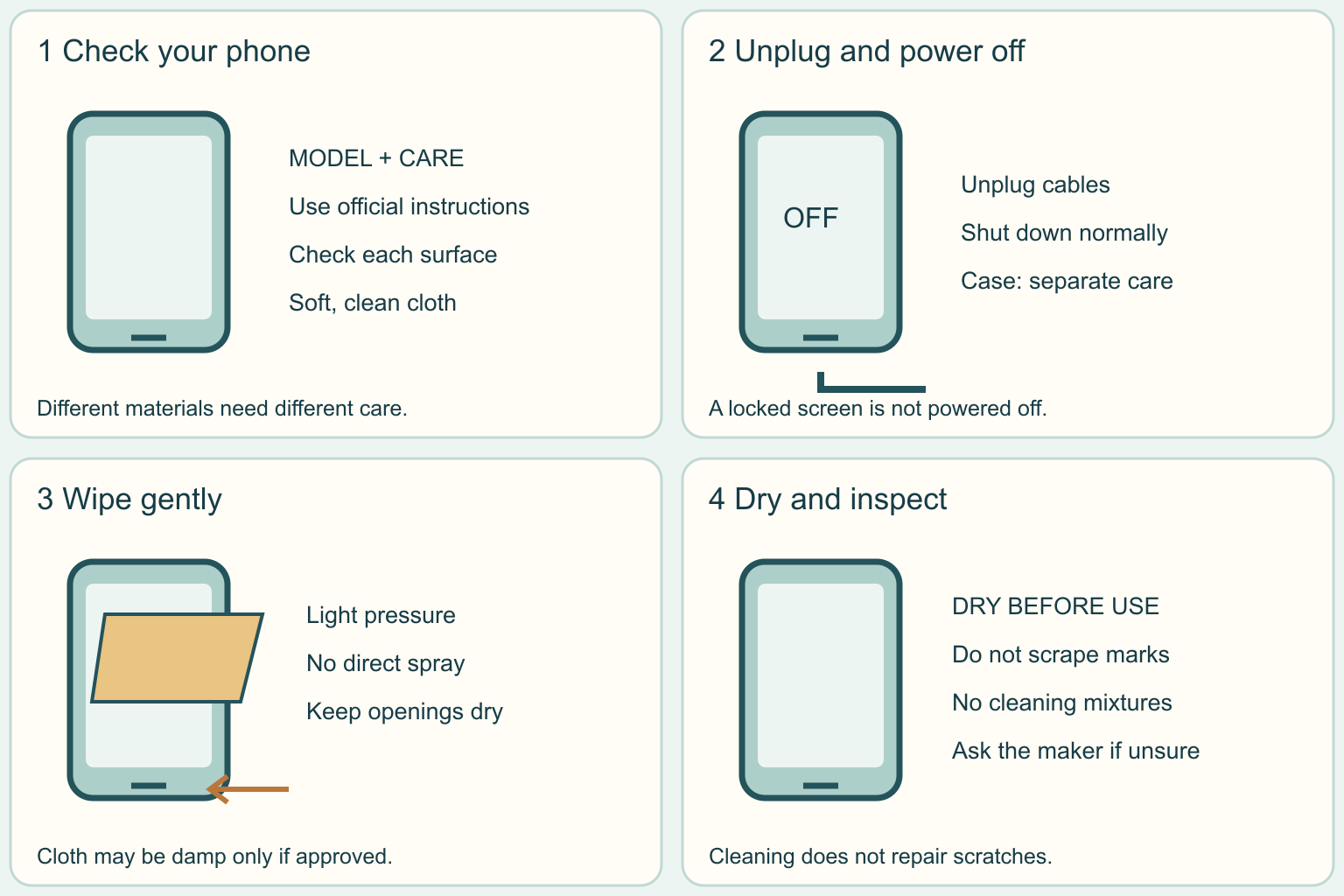
Find the phone's model in its settings or purchase record.
Search the maker's own support site for that model and 'cleaning.' The outside, removable case, and screen protector can have different care rules.
A coating is a very thin surface layer; rubbing it with a rough material can damage it.
Put a clean, dry cloth on a stable table so the phone cannot slide.
If the model or surface instructions are unclear, ask the maker before using a liquid.
Before moving to the next step
Check this specific result: I found the correct instructions and have a dry, stable place to work.
If that result is not true yet, leave the box unchecked. Write what is missing in your notes; use the official instructions below when the equipment or situation differs.
STEP 1 OF 4
Check the model and prepare a dry work area
Start here: Check the model and prepare a dry work area
Illustration: Check the model and prepare a dry work area. Read the steps for your exact task.
Find the phone's model in its settings or purchase record.
Search the maker's own support site for that model and 'cleaning.' The outside, removable case, and screen protector can have different care rules.
A coating is a very thin surface layer; rubbing it with a rough material can damage it.
Put a clean, dry cloth on a stable table so the phone cannot slide.
If the model or surface instructions are unclear, ask the maker before using a liquid.
Before moving to the next step
Check this specific result: I found the correct instructions and have a dry, stable place to work.
If that result is not true yet, leave the box unchecked. Write what is missing in your notes; use the official instructions below when the equipment or situation differs.
STEP 2 OF 4
Disconnect and power off
Start here: Disconnect and power off
Illustration: Disconnect and power off. Read the steps for your exact task.
Unplug charging cables and other attached accessories.
Shut the phone down using its normal power-off control; a dark locked screen is not necessarily powered off.
Remove an ordinary removable case if the instructions allow, without bending the phone.
Keep the case aside for its own cleaning instructions.
Check the cloth for grit.
Lint-free means it does not leave little fibers behind.
Use a clean soft lens-style cloth, not a scouring pad or paper towel.
Before moving to the next step
Check this specific result: The phone is unplugged and off, and the cloth is soft and free of grit.
If that result is not true yet, leave the box unchecked. Write what is missing in your notes; use the official instructions below when the equipment or situation differs.
STEP 3 OF 4
Wipe the outside with light pressure
Start here: Wipe the outside with light pressure
Illustration: Wipe the outside with light pressure. Read the steps for your exact task.
Gently wipe the screen and approved outer surfaces with the cloth.
Do not scrub a stubborn mark harder.
If your maker allows water, lightly dampen a corner of the cloth away from the phone; it should not drip.
Samsung specifies distilled water for this option.
Never pour or spray liquid onto the device.
Keep moisture away from the charging port, speaker holes, and other openings.
A port is the opening where a cable plugs in.
This guide does not cover cleaning inside it.
Before moving to the next step
Check this specific result: I wiped gently and kept liquids and tools out of every opening.
If that result is not true yet, leave the box unchecked. Write what is missing in your notes; use the official instructions below when the equipment or situation differs.
STEP 4 OF 4
Inspect, let it dry, and stop if a mark remains
Start here: Inspect, let it dry, and stop if a mark remains
Illustration: Inspect, let it dry, and stop if a mark remains. Read the steps for your exact task.
Look at the screen in good light.
Use a dry part of the soft cloth for remaining surface moisture and let the phone dry before reconnecting accessories.
Put a clean, dry case back only when its own care steps are finished.
If a mark remains, it could be damage rather than dirt.
Ask official support instead of trying a stronger cleaner.
Do not use toothpaste or baking-soda paste as a scratch repair, compressed air, or a homemade chemical mixture.
Manufacturer-approved disinfecting wipes are a separate procedure with exact limits; do not assume any wipe is safe.
Before moving to the next step
Check this specific result: The outside is dry, and I stopped rather than scraping or adding an unapproved cleaner.
If that result is not true yet, leave the box unchecked. Write what is missing in your notes; use the official instructions below when the equipment or situation differs.
Pictures for this guide
Picture 1 of 4 · Check the model and prepare a dry work area
Phone model care sheet beside a soft cloth.
For: Check the model and prepare a dry work area
Illustrations show examples of the actions above. Follow your equipment’s instructions.
Notes about these pictures
Find the phone's model in its settings or purchase record. Search the maker's own support site for that model and 'cleaning.' The outside, removable case, and screen protector can have different care rules. A coating is a very thin surface layer; rubbing it with a rough material can damage it. Put a clean, dry cloth on a stable table so the phone cannot slide. If the model or surface instructions are unclear, ask the maker before using a liquid.
For ordinary fingerprints on an intact phone only. Stop for broken glass, a swollen body, unusual heat, liquid inside, or a moisture warning; use the maker's support guidance. Do not open the phone, scrape ports, remove a bonded screen protector, or apply these steps to a folding inner screen without its specific instructions. Cleaning is not a guarantee of disinfection.
Was this step clear?
Flag “Check the model and prepare a dry work area” for review. We save the guide and step identifiers with your account to limit duplicates, not your private notes.
A specific companion has not been selected for this new guide yet. You can search for related demonstrations; search results have not been reviewed by Life’s Checklists.
These YouTube videos belong to their respective creators. Life’s Checklists does not own them and is not affiliated with the creators. Links open on YouTube, where the videos are available independently of our membership.
How to use the video with this guide
Read “Before you begin” first. Watch the relevant part, pause, then return to the written step and its completion check. Use captions and playback speed if they help. A demonstration may cover only part of the task or show different equipment.
Your model’s instructions and current official guidance take priority. For urgent problems, follow the stop instructions without waiting to watch a video.
Finish the job and know what to do next.
For this guide, the final result is: The outside is dry, and I stopped rather than scraping or adding an unapproved cleaner.
A concrete way to approach this task
A fingerprint remains after one gentle wipe. Check your model's instructions before lightly dampening the cloth. If it still looks like a scratch, leave it alone and ask support; extra scrubbing is not a repair.
What if I cannot complete a step?
Water resistance is not permission to wash a phone under a tap. Do not mix cleaning products. Apple's and Samsung's guidance differs by surface and product: a method allowed on glass is not automatically allowed on a leather or plastic case. Use the exact current instructions, especially for folding screens and accessories.
Identify the exact step: “Check the model and prepare a dry work area.” Record what you tried, what happened, and which item or model you used. Ask for help with that specific problem rather than repeating an unsafe or unsuccessful action.
For ordinary fingerprints on an intact phone only. Stop for broken glass, a swollen body, unusual heat, liquid inside, or a moisture warning; use the maker's support guidance. Do not open the phone, scrape ports, remove a bonded screen protector, or apply these steps to a folding inner screen without its specific instructions. Cleaning is not a guarantee of disinfection.
Connect this skill to everyday life
Choose one important account and verify its recovery options through the genuine service. Organize where your recovery information is stored securely.
A familiar logo or display name does not verify a sender. Account recovery codes and normal passwords have different purposes.
A useful record for this task: Record the result of “Inspect, let it dry, and stop if a mark remains”: The outside is dry, and I stopped rather than scraping or adding an unapproved cleaner.
When finished, record the result and any next check or follow-up date. Your original step checks and notes remain on this browser.
Keep the result of your work
Finish and check every step before recording completion. You can write a draft below now.
Result: Not recorded · Next check: Not chosen
Choose a date from your own manual or situation. No email is enabled by saving this record.